Welcome to Cheapmonit
Monitor a service, receive a confirmed alert, and keep your customers informed.
2 min readSet up your first service
From your first check to a shared status page.
- Add a monitorChoose the website or API you want to watch.Monitor guide
- Connect your alertsAdd and confirm an email destination for alerts.Email guide
- Share your statusChoose which services visitors can see.Status page guide
All three steps are available on the Free plan.
One workflow, from check to recovery
Cheapmonit checks your public websites and services, records confirmed outages, alerts your chosen channels, and updates your status page. Your private workspace holds check details; your public page shares the services and notes you choose.
Start with the free plan: 3 HTTP or HTTPS monitors, hourly checks, email and Slack alerts, and one public status page. Premium features are in early access and cannot be bought yet.
Your first three steps
- Add your first monitor from Monitors. Use a descriptive name and a public website or API address.
- Open Alert channels and check where notifications will go. Confirm any email address that differs from your sign-in address.
- Open Status page and choose the services you want visitors to see. Give each component a name your customers recognize.
Find your way around
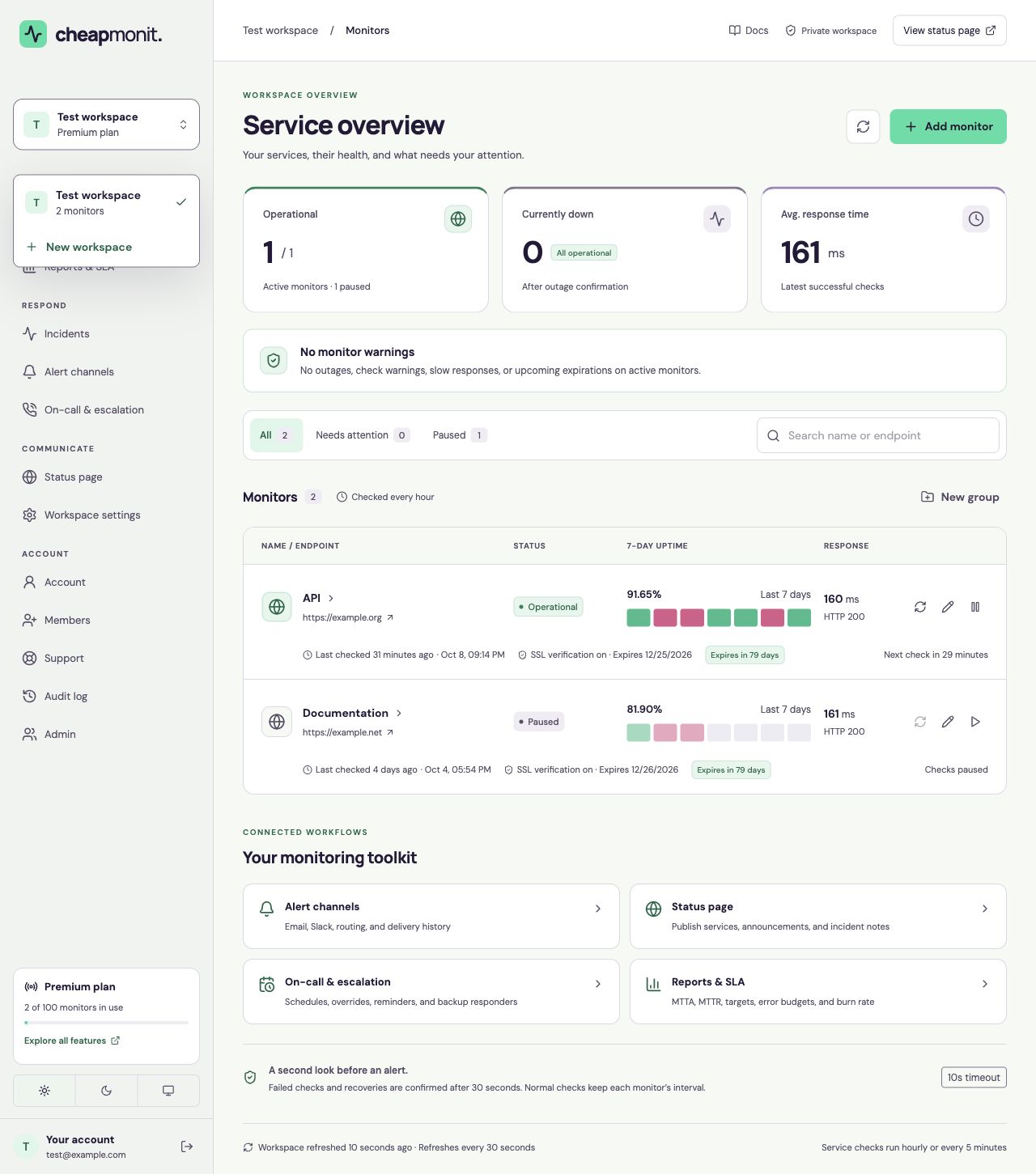
The dashboard navigation follows your workflow: Monitors and Reports & SLA to watch reliability; Incidents, Alert channels, and On-call & escalation to respond; Status page and Workspace settings to communicate and organize.
Account, Members, Support, and Audit log are available from the account navigation. Use the workspace selector above the navigation to open another workspace you can access.
 View full size
 What to expect from a check
A check has a 10-second total timeout. A failure is checked again after 30 seconds before an incident opens. Recovery also needs a confirmation check. Premium can check every 5 minutes; the free interval is one hour.
An outage is confirmed from one monitoring location. Multi-region checks, heartbeat monitoring, and SMS are not available.