Reports, SLA targets, and error budgets
Read MTTA, MTTR, observed availability, and 24-hour burn rate.
1 min readThis guide covers Premium features. Premium is in early access and cannot be bought yet.
Read an incident report
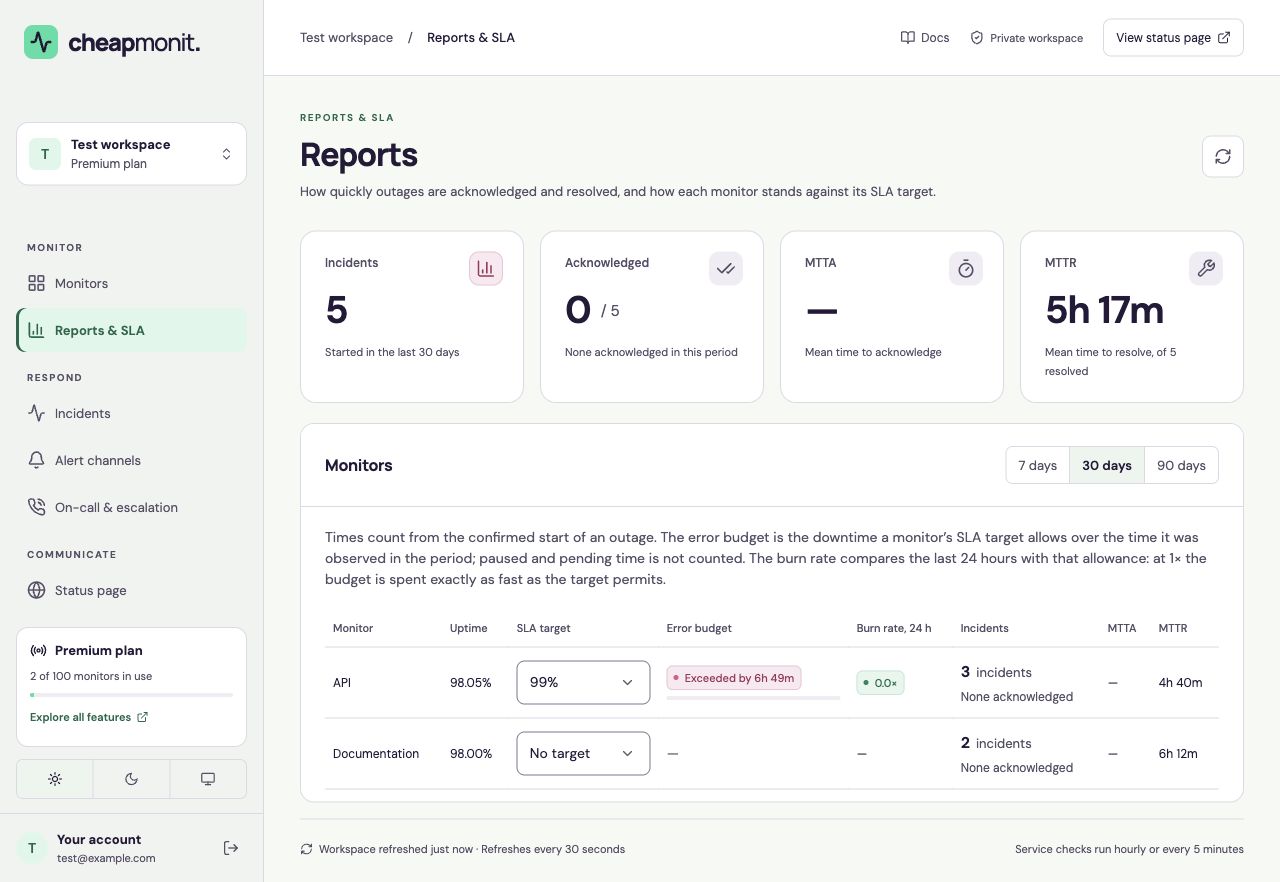
Open Reports & SLA and choose a 7-, 30-, or 90-day period. The report counts incidents that started in that period. MTTA measures confirmed start to acknowledgement; MTTR measures confirmed start to resolution.
Only acknowledged incidents contribute to MTTA, and only resolved incidents contribute to MTTR. A missing value is not zero; it can mean there is no applicable completed response.
 View full size
 Choose an availability target
- Find the monitor in the report table.
- Choose an SLA target of 99%, 99.5%, 99.9%, 99.95%, or 99.99%.
- Read the remaining error budget next to the target. Select No target to remove it.
Observed time and burn rate
The error budget is the downtime allowed by the selected target over observed monitoring time. Pending, paused, and missing-data periods do not create a budget or count as successful observations.
The burn rate compares the last 24 hours’ downtime share with the target’s allowance. At 1×, the allowance is being spent at the rate the target permits. Burn rate is reported, not alerted on. Calendar-month SLA periods and exported reports are not available.